1) Start by checking the four points that cause 80% of errors
Before concluding that the conversion has “failed,” check these four elements. They are the most common.
The chosen app (your goal = output instrument)
If you want a score or MIDI for piano, use PianoConvert. If you want guitar tablature, use GuitarConvert, etc.
If the app does not match your output goal, you may get a result that does not match your expectations.
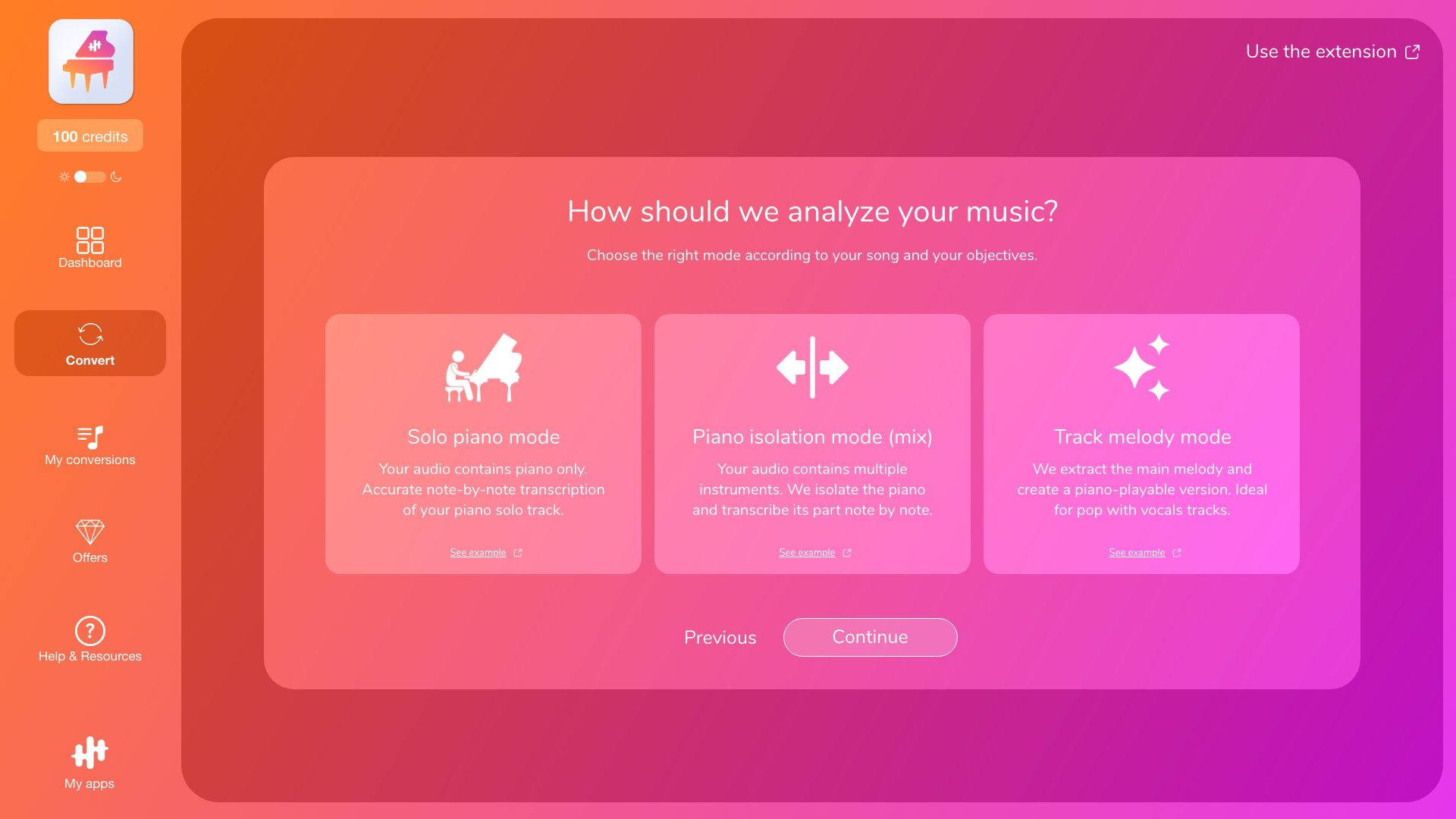
Mode (Transcription or Melody/Arrangement)
If you were expecting a faithful transcription but the target instrument isn’t clearly present in the audio, the result may be inconsistent or incomplete. In that case, Melody/Arrangement mode is often more suitable.
The selected passage (especially for the 30-second test)
If the excerpt contains a spoken intro, silence, a very quiet passage, or an atypical moment, the conversion may be misleading. Test a more representative passage.
If necessary, consult:
- “Which app to choose according to your objective (piano, guitar, sax, voice, etc.)”
- “Transcription vs. Arrangement: what's the difference?”
2) Try again intelligently (instead of randomly restarting)
If the result is not good, try again, but with only one variable at a time:
- Change the extract (often the most effective).
- Correct the instruments and then restart.
- Change modes if your goal is playability rather than fidelity, or if the instrument is difficult to isolate.
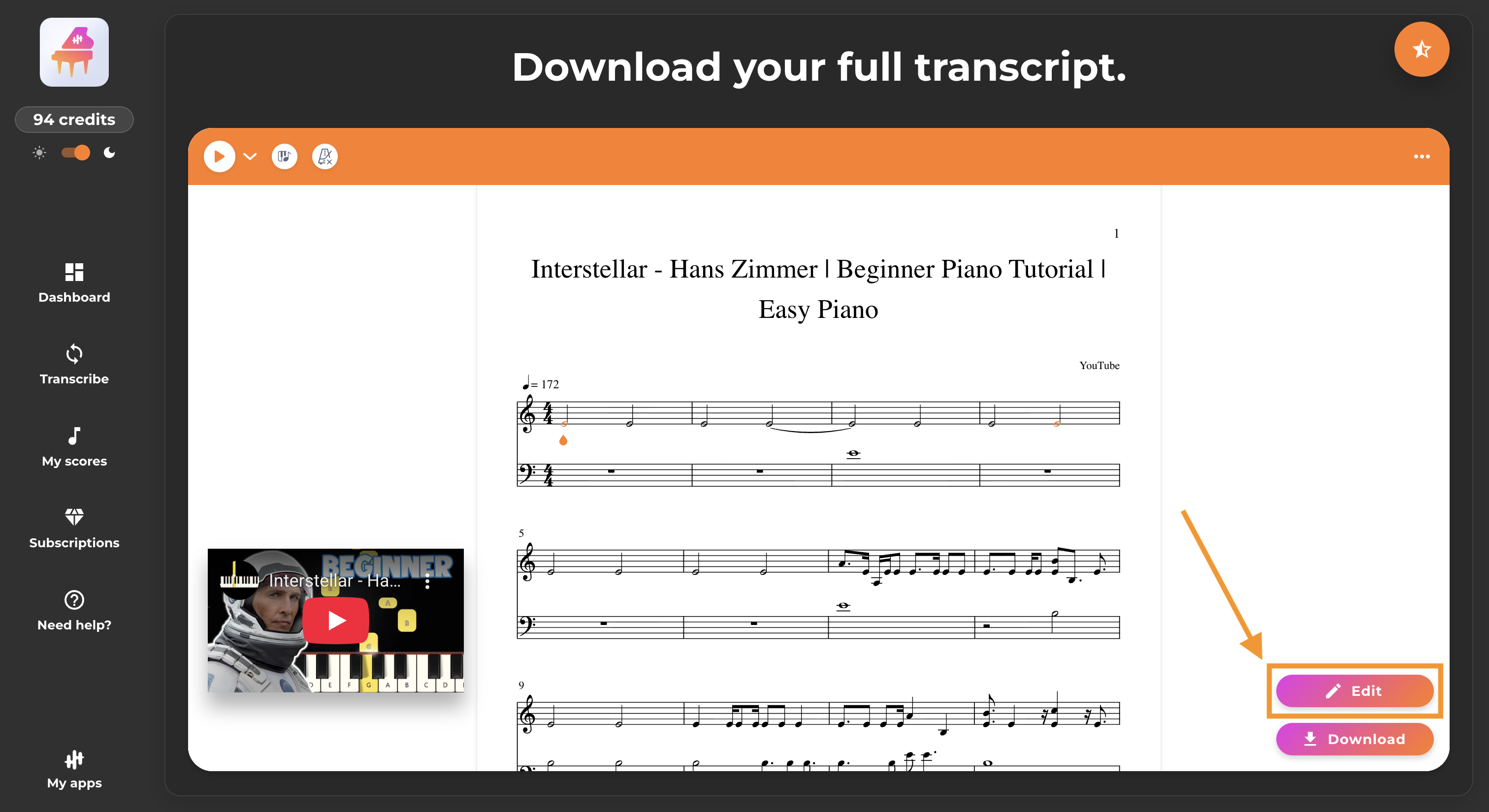
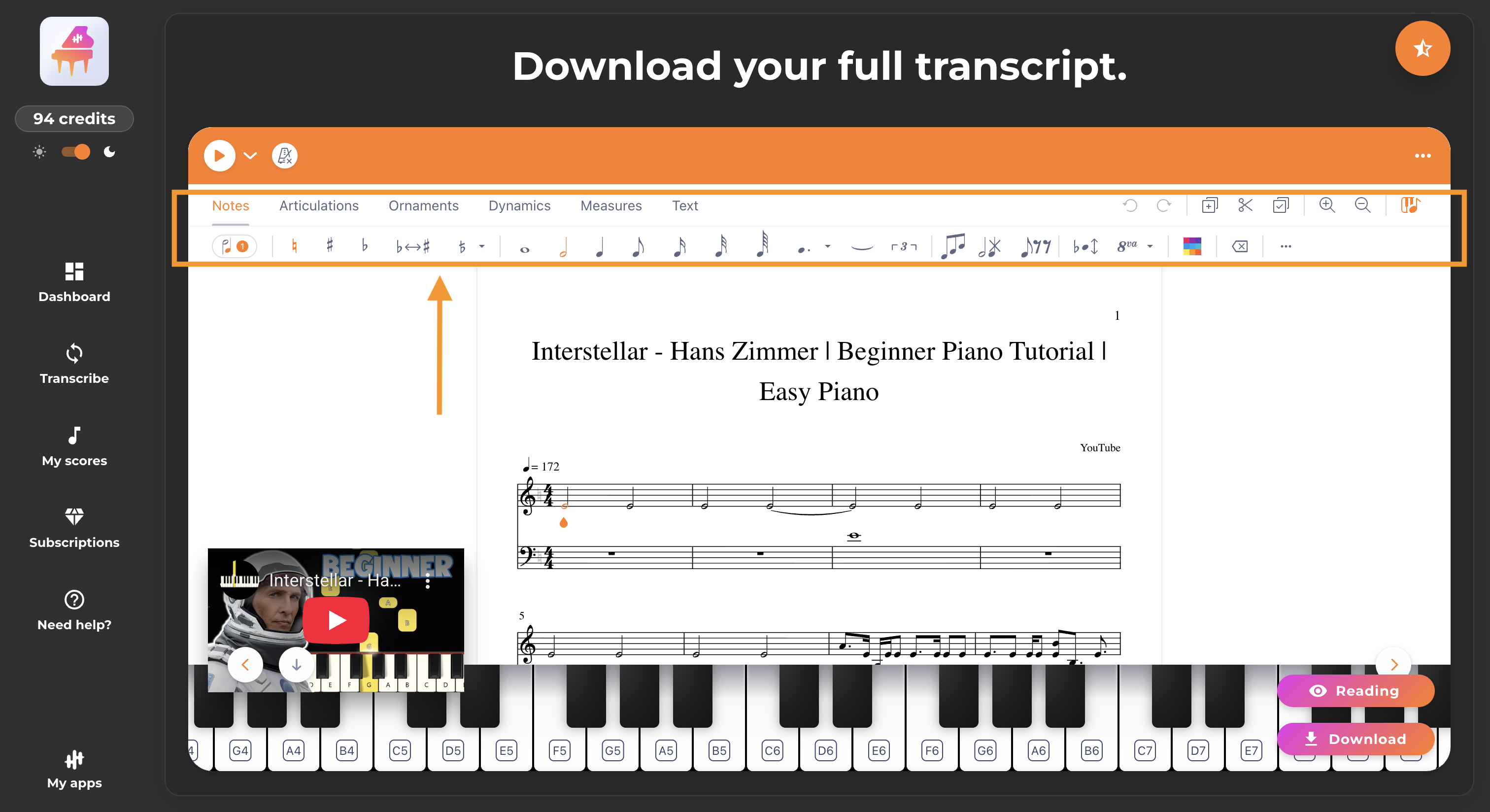
3) When to use the built-in editor
Use the built-in editor when the result is generally good but there are still some localized errors, for example:
- a few wrong notes,
- rhythms that need adjusting,
- a poorly distributed hand/voice,
- a measure that needs correcting.
The editor is often the quickest solution in this case, as it allows you to correct the score directly without starting from scratch.
However, if the score is completely inconsistent (too many errors, wrong instrument, random notes), editing will take a long time and it is better to go back to steps 1 and 2 (mode, excerpt, instruments).
4) When to choose another version of the track
Sometimes, the original audio is the real problem: overly dense mix, significant noise, saturation, excessive reverb in a live recording, or the target instrument is drowned out.
In this case, the best solution is often to try:
- another YouTube video (studio rather than live),
- a cleaner cover,
- or a higher-quality audio file.
The same song, with a clearer source, can make a huge difference.
To go further
- To improve overall quality: “Improving quality: our recommendations (transcription and arrangement)”
- To cut a clean passage: “Transcribe only one passage (beginning/end) and avoid intros/silences”
- For editing: “Edit your score with the La Touche Musicale editor”
