1) How long your files remain available
After conversion (transcription or arrangement), your results remain accessible for 30 days.
After this period, the generated files are automatically deleted from our servers for environmental reasons.
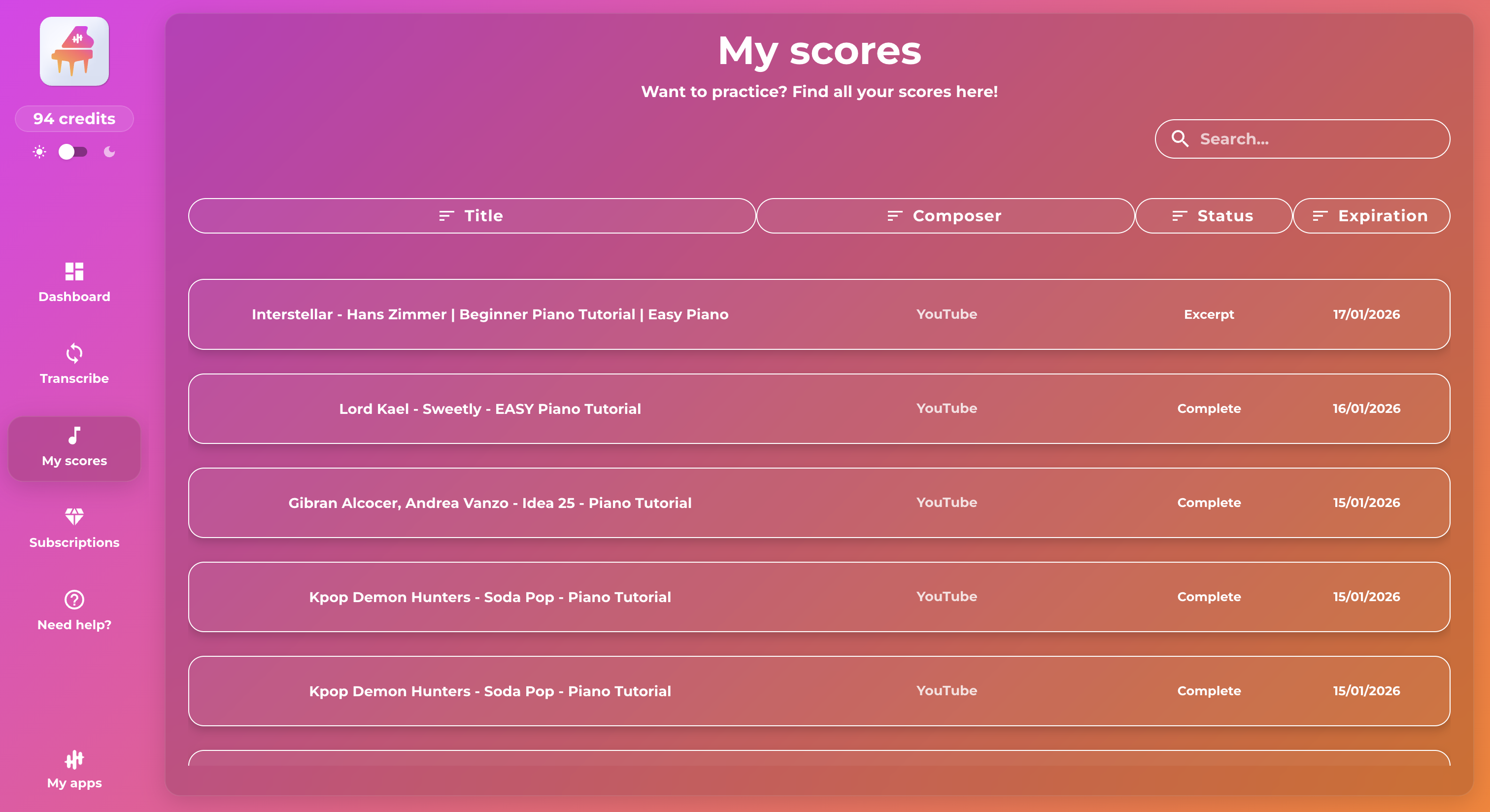
2) Where to find your conversions in each app
Each application has its own history. To find all your conversions made on a specific app, go to the “My scores” tab in the app concerned.
Direct access (examples):
- PianoConvert: https://hub.latouchemusicale.com/pianoconvert/my-conversions
- GuitarConvert: https://hub.latouchemusicale.com/guitarconvert/my-conversions
- SingConvert: https://hub.latouchemusicale.com/singconvert/my-conversions
The principle is the same for other apps: you can find all your conversions related to that app in the same place.
3) Centralized view: see all your conversions (all apps)
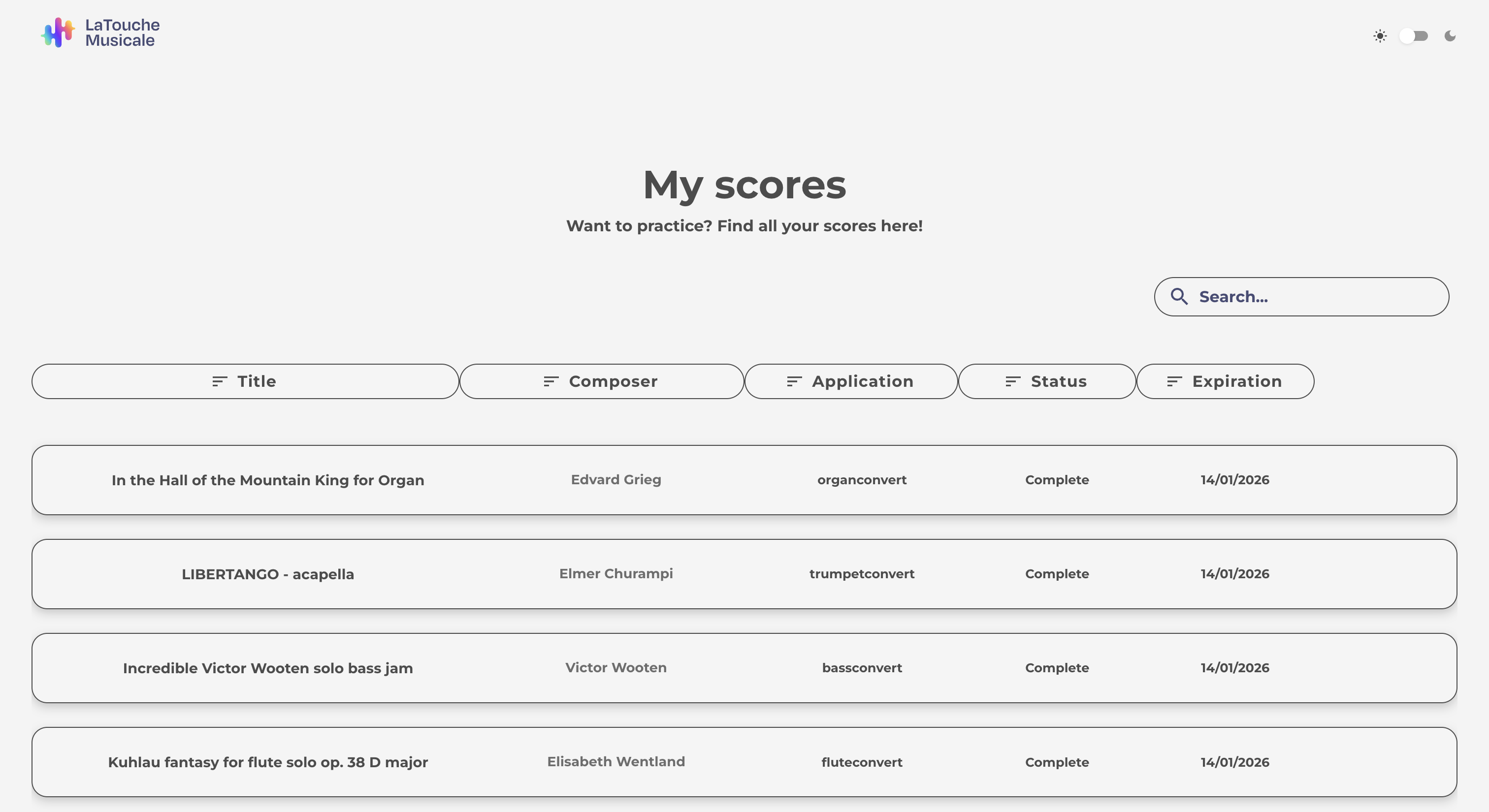
If you prefer a global view (all your conversions, all apps combined), you can go through your Hub space:
- Go to “Account & Subscription” on the Hub.
- Click on “See all my conversions”.
Direct access: https://hub.latouchemusicale.com/my-transcriptions
This is the most convenient option if you use multiple apps (PianoConvert, GuitarConvert, SingConvert, etc.).
4) How to download your files (PDF, MIDI, MusicXML)
Once you are on a conversion (from “My scores” in an app, or from the global view), you can download the generated files.
Click on the conversion of your choice. You will then be taken to your conversion page, where you can download the following files:
- PDF: the score, ready to read and print
- MIDI: to listen to, edit, or import into music software (DAW)
- MusicXML: to rework the score in notation software (MuseScore, Finale, Sibelius, etc.)
- Tablature (depending on the app, especially guitar/bass): in PDF or integrated into the score
5) I can't find a conversion or file
Here are the most common reasons:
- The conversion has expired: if more than 30 days have passed, the files are no longer available. You will need to restart the conversion.
- You are in the wrong app: if the conversion was done on GuitarConvert, it will not appear in the PianoConvert history. Use the global view of your conversions if necessary: https://hub.latouchemusicale.com/my-transcriptions
- You are not logged in with the right account: check that you are using the correct email address.
To go further
- Understanding the entire process: “How it works (app → import → analysis → selection → conversion → download)”
- In case of problems: “Troubleshooting: conversion fails, freezes, or the result is empty”
- To correct your results: “Edit your score with the La Touche Musicale editor”
