First and foremost: always test with the free trial (30 seconds)
Before converting an entire song, try it out for 30 seconds. This is the most reliable way to check that:
- the excerpt is representative,
- the selected instruments are correct,
- the chosen mode (Transcription or Arrangement) is right for your needs,
- the application used (PianoConvert for piano, SingConvert for vocals, etc.) is right for the instrument you want to obtain on sheet music.
If the result does not meet your expectations over 30 seconds, it will rarely be “magically” good over 4 minutes.
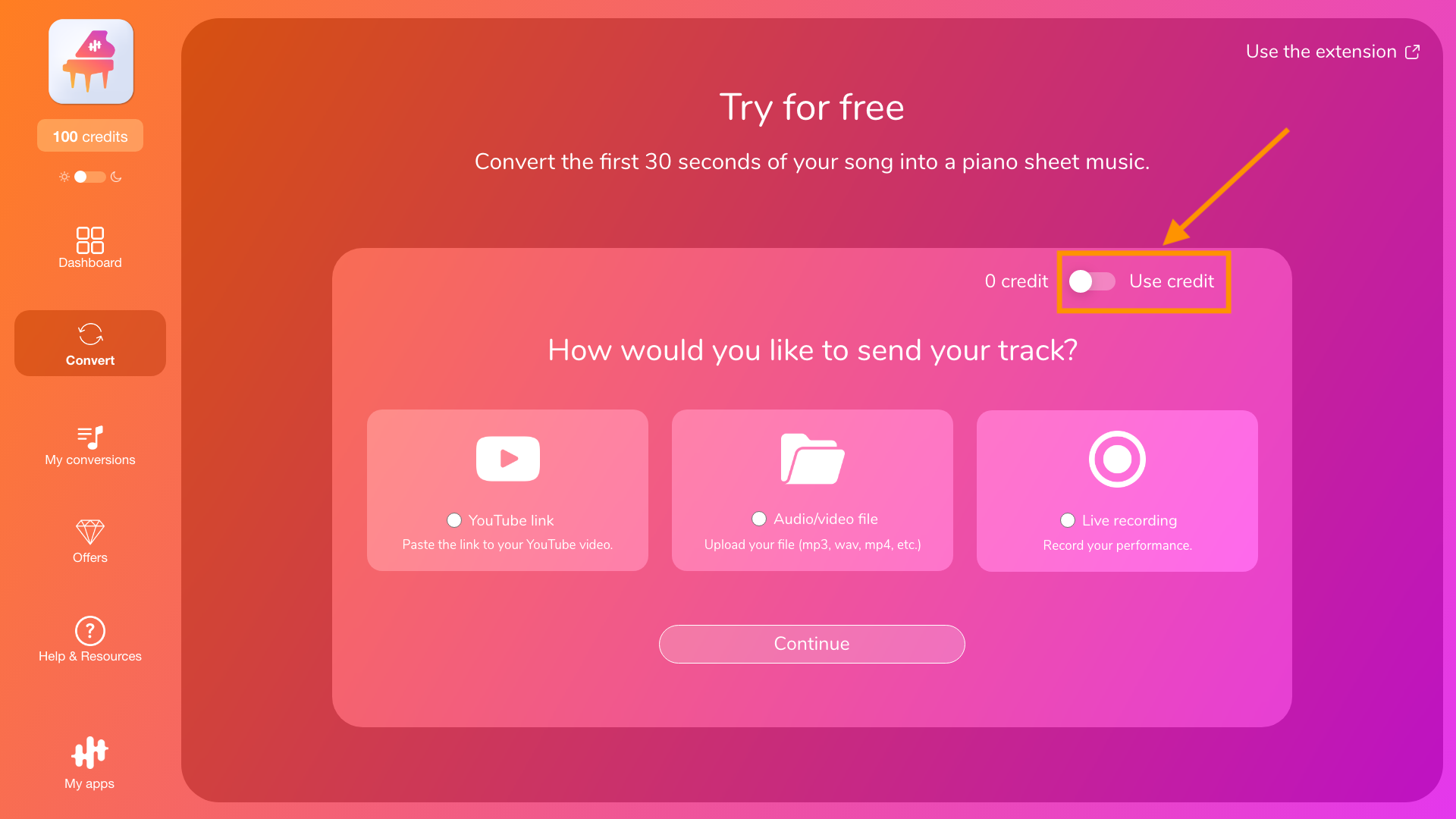
To do this, uncheck the use of credits on the first screen of the conversion page:
The 10 rules that improve quality the most
1) Use the best source possible
A clean source (good audio quality, little interference) almost always gives a better result. Avoid recordings that are saturated, overly compressed, or have significant background noise.
2) Choose a representative passage
Avoid spoken intros, silences, very quiet passages, or atypical breaks. Choose a passage where the main instrument is already clearly present.
3) Always use an uncompressed audio format (WAV, FLAC, …)
An uncompressed (or lossless, like FLAC) audio format keeps more information that’s useful to the AI (attacks, harmonics, resonances, micro-dynamics). By contrast, lossy formats (MP3, AAC, OGG…) remove some of that detail, which can blur certain notes, create artifacts, and increase inaccuracies (missed notes, timing issues, wrong assignments). Converting an MP3 to WAV doesn’t “recover” anything: the loss already happened, so you just get a larger WAV with the same reduced data. For best results, start whenever possible from an uncompressed or lossless source—ideally from the master or a direct export—with no prior compression.
4) If you want an “accurate” transcription, the instrument must be clearly audible
Transcription works best when the target instrument stands out clearly and distinctly in the mix. If it is drowned out or very discreet, the transcription becomes uncertain. We therefore strongly recommend arrangement rather than transcription for this audio.
5) Dense mix = difficult transcription (this is normal)
The more simultaneous instruments, effects, and layers a piece contains (highly produced pop, electro, orchestra, etc.), the more difficult it is to achieve an accurate transcription.
In these cases, you will often get better results with an arrangement, especially if your goal is to obtain a playable version of the piece with a melody and accompaniment adapted to your instrument (piano, guitar, etc.).
6) Choose Arrangement when your goal is to “play the song.”
If your goal is a playable version (melody + accompaniment), Arrangement is often more suitable than Transcription, even if the audio contains the target instrument.
7) Avoid “live” or very noisy versions for a first test
Applause, room reverberation, microphone saturation... all of these things interfere with the analysis. For testing purposes, a studio version or a clean cover is often more reliable.
8) Try again with another excerpt if the result is strange
The same piece can produce very different results depending on the passage chosen. If the test is mediocre, change the excerpt before concluding that “it doesn't work.”
9) If your file is highly compressed, expect more inaccuracies
Highly compressed formats can lose useful details (note attack, harmonics). If you have a better (less compressed) source, use it.
10) When errors remain: focus on correction rather than multiple attempts
If the result is generally good but with a few errors, it is often more effective to correct them in the editor (notes, rhythm, hands, etc.) rather than running 10 more conversions.
To go further
- On choosing the mode: “Transcription vs. Arrangement: what's the difference?”
- On detected instruments: “Detected instruments: how to read and correct them (probability level)”
- If the result is empty or inconsistent: “Troubleshooting: conversion fails, freezes, or the result is empty”
